Key Summary
Internal linking is one of the most overlooked yet powerful tools in local SEO. It determines how Google crawls your website, understands your business hierarchy, and distributes authority across your pages. For local business owners, this means your internal links can decide whether your "Naples plumber" or "Fort Myers med spa" page ranks — or remains invisible.
In this complete 2026 guide, you'll learn everything about internal linking: what it is, why it matters for local rankings, how to build an effective structure, and the advanced techniques that agencies like D&D SEO Services use to turn websites into lead-driving machines.
What Is Internal Linking?
Internal linking refers to creating hyperlinks that connect one page of your website to another page within the same domain. These are the digital pathways that help both visitors and Google understand your site's structure.
For example, a "Brake Repair in Fort Myers" page linking to "Oil Change Services" helps users navigate and signals to Google that both pages are related under the same local service category.
Quick distinction:
- Internal links: Connect pages within your own website
- External links: Point to other websites (useful for credibility but not the same purpose)
Internal linking strengthens your entire website ecosystem. Without it, even great pages can remain hidden because Google has no way to discover or rank them efficiently.
Why Internal Linking Is Critical for Local SEO
1. It Builds Local Site Architecture
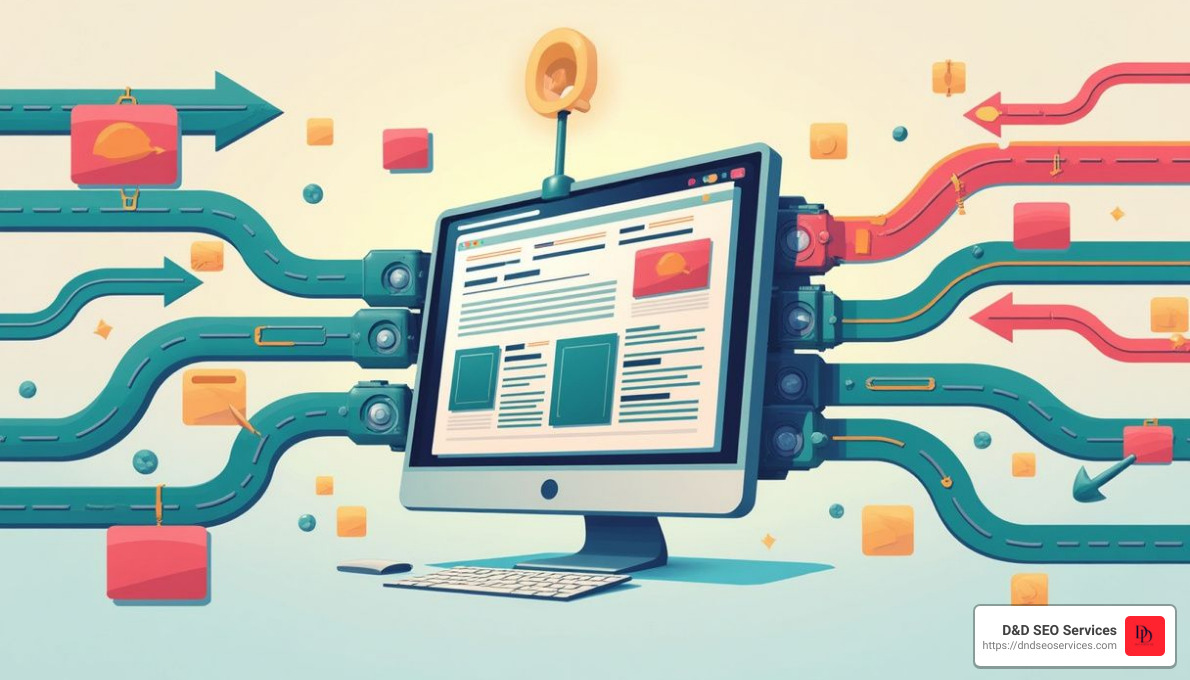
Google's crawlers follow links like roads. Internal links tell Google which pages matter most. For local businesses, this hierarchy helps search engines understand:
- Your main service pages (plumbing, HVAC, dental cleaning, body sculpting)
- Your location pages (Fort Myers, Cape Coral, Lehigh Acres, etc.)
- Your supporting content (blogs, FAQs, guides, reviews)
When structured properly, internal links connect these sections so Google sees your expertise clearly within your local area.
2. It Passes Authority to Key Pages
Every page that earns backlinks or engagement builds authority (often called link equity). Internal links redistribute this authority to other pages on your site.
If your homepage or a popular blog post earns links, internal linking ensures that authority benefits your high-value pages — like "AC Repair Cape Coral" or "Dental Implants Fort Myers."
This flow of authority helps underperforming pages rise in local rankings without needing more backlinks from external sites.
3. It Improves User Experience and Engagement
Visitors use internal links to navigate your website and find what they need quickly. Well-placed links keep users exploring instead of bouncing off.
For example: Someone reading a blog post about "Top Signs You Need Brake Service" might see a link to "Schedule a Mobile Mechanic Near You." This small detail can turn an educational reader into a paying customer.
4. It Helps Google Understand Your Local Relevance
Internal links provide context to Google about your services and service areas. Linking your main service pages to location-specific pages helps Google associate your business with those geographic keywords.
Example: "Air Conditioning Repair" page → links to "AC Repair in Fort Myers" and "AC Repair in Cape Coral."
That's a clear signal to Google that you serve multiple cities — and deserve visibility in each.
Ready to Improve Your Local Rankings?
At D&D SEO Services, we specialize in building internal linking frameworks that help local businesses dominate their service areas.
📞 Call (239) 276-8138 or visit dndseoservices.com to schedule your Free SEO Audit
The Building Blocks of Internal Linking
1. Navigational Links
These are your site's menus, headers, and footers. They provide primary paths to your most important pages — like Home, Services, and Contact.
2. Contextual Links
Links embedded within content. These are your SEO gold. They connect related topics naturally within articles and service pages.
Example: "In our Local SEO Audit Guide, we explain how to identify technical issues that hurt your rankings."
3. Footer and Sidebar Links
These support navigation but should not be overused. Keep only essential links — like privacy policy, FAQs, or important resources — in these areas.
4. Image Links
Clickable images or icons can also be internal links. Always use descriptive ALT text so Google understands the destination.
How to Build an Effective Internal Linking Strategy
Step 1: Map Your Website Structure
Before you add any links, visualize your content as a pyramid:
- Top: Homepage (broad authority)
- Middle: Service and location pages (high value)
- Bottom: Blog posts and resources (supportive)
This structure ensures authority naturally flows downward and relevance flows upward.
Step 2: Create Pillar and Cluster Pages
For local SEO, think in terms of topic clusters:
- A pillar page covers a broad topic (e.g., "Plumbing Services")
- Cluster pages target subtopics (e.g., "Drain Cleaning," "Leak Detection," "Water Heater Repair")
All cluster pages should link back to the main pillar page and to each other where relevant. This builds topical authority and strengthens your local SEO silos.
Example: "Plumbing Services Fort Myers" → links to "Emergency Plumbing," "Pipe Repair," "Drain Cleaning," and vice versa.
Step 3: Use Descriptive Anchor Text
Anchor text is the clickable part of a link. It tells both users and Google what the linked page is about.
Good examples:
- "SEO audit for local businesses"
- "AC repair in Cape Coral"
Avoid:
- "Click here"
- "Read more"
Be natural but descriptive — especially for service and city keywords.
Step 4: Prioritize Important Pages
Use internal links to push authority to:
- Your highest-value service pages
- Location-based pages
- Pages with strong conversion potential
Every link is a vote of importance. Don't waste votes on low-value content.
Step 5: Keep Link Depth Under 3 Clicks
Google and users should reach any page within three clicks from your homepage. This keeps your website easy to crawl and prevents orphan pages (pages with no internal links pointing to them).
Want to See How Your Internal Links Perform?
We'll analyze your crawl depth, link distribution, and anchor text usage — all in one comprehensive audit.
👉 Book your free Internal Linking Audit with D&D SEO Services today
Common Internal Linking Mistakes (and How to Fix Them)
1. Broken Links
Broken internal links frustrate users and waste crawl budget.
Fix: Use tools like Screaming Frog or Ahrefs Site Audit to find and correct them regularly.
2. Over-linking on Pages
More is not always better. Too many internal links can dilute SEO value.
Fix: Aim for 50–100 internal links max per page, depending on content length.
3. Using Nofollow Tags Internally
Never add rel="nofollow" to internal links. This blocks link equity from passing.
4. Orphan Pages
Pages with no internal links pointing to them are invisible to Google.
Fix: Regularly check for orphan pages and link them from related articles or your sitemap.
5. Poor Anchor Text Usage
Generic anchors like "click here" waste SEO potential.
Fix: Use keyword-rich, descriptive anchors naturally within sentences.
Advanced Internal Linking Techniques
1. PageRank Sculpting
Strategically guide link equity to high-priority pages.
- Use fewer internal links to low-value pages
- Concentrate links toward pages that generate leads
2. Contextual Linking Between Cities
If you serve multiple areas, interlink those city pages.
Example: "Plumber in Fort Myers" → links to "Plumber in Cape Coral" with context about nearby service areas.
This helps build regional authority and strengthens your presence in multiple local packs.
3. Dynamic Internal Links in Blogs
Add links to newer content automatically using plugins like Link Whisper or Rank Math's Link Suggestions.
4. Data-Driven Link Analysis
Quarterly audits using tools like Semrush or GSC can reveal which internal links pass the most value — and where you can improve.
Build a Winning Internal Link Structure
Let D&D SEO Services design a custom internal linking framework that boosts visibility in Google Search, Maps, and AI Overviews.
📞 Call (239) 276-8138 or visit dndseoservices.com to start your free local link building strategy session
Measuring Internal Linking Success
Track your progress with these key metrics:
- Crawl Rate: Is Google crawling more pages?
- Indexed Pages: Are your important pages appearing in Google's index?
- Keyword Rankings: Are service and location pages improving?
- Engagement: Are users staying longer or visiting more pages?
You can monitor these metrics using Google Search Console, GA4, or tools like Ahrefs Site Explorer.
Internal Linking and AI Search
With the rise of AI Overviews and LLM-based search engines (ChatGPT, Perplexity, Gemini), internal linking plays an even bigger role. AI engines rely on clear contextual signals to summarize answers.
Well-linked pages create stronger entity relationships, making your content more likely to be cited or referenced by AI systems — which can directly drive new discovery and visibility.
Frequently Asked Questions About Internal Linking
What is internal linking in simple terms?
Internal linking is the process of connecting one page of your website to another page within the same domain. Think of it like a roadmap for Google and your visitors. When you link your "Plumbing Services" page to your "Drain Cleaning" page, you help users find more information and help Google understand your website's structure and hierarchy. It's one of the simplest yet most powerful local SEO strategies you can control entirely.
How does internal linking improve local SEO rankings?
Google uses internal links to understand which pages are most important. By linking your service pages to your city or location pages — for example, "AC Repair" linking to "AC Repair in Fort Myers" — you tell Google that your business is relevant for searches in that area. Internal linking also spreads authority (link equity) across your site, helping lower-level pages rank faster in local map results and organic listings.
What's the difference between internal and external links?
Internal links connect pages within your website (e.g., Home → Services → Blog). External links point to other websites (e.g., linking to a source or citation). For SEO, internal links guide Google through your own site and build your internal authority structure. External links, on the other hand, build credibility by referencing trusted sources.
Should I use keywords in internal link anchor text?
Yes — and this is one of the few places where exact-match keywords are perfectly safe. Use descriptive anchor text that clearly indicates the topic of the linked page, like "emergency plumbing in Fort Myers" instead of "click here." Google uses this text as a signal to understand what the destination page is about, which boosts relevance and rankings for that keyword.
Can too many internal links hurt my SEO?
Yes, if overdone. Too many links can overwhelm users, confuse crawlers, and dilute SEO value (link equity). If every sentence is hyperlinked, it becomes spammy. Always link strategically — your goal is clarity, not quantity.
What are orphan pages and why do they hurt SEO?
Orphan pages are pages that have no internal links pointing to them. Because Google discovers new content primarily through links, these pages often go unindexed — meaning they never appear in search results. To fix this, regularly audit your site and make sure every important page is linked from at least one other page or your sitemap.
How can I find internal linking opportunities on my website?
Use tools like Ahrefs, Semrush, or Google Search Console to identify pages that already rank for similar topics. Then, interlink them using descriptive anchor text. For example, if your "Local SEO Tips" blog post ranks for "Google Business optimization," you can add internal links to your Google Business Profile services page. This strengthens topic clusters and improves ranking potential.
What's the best way to organize internal links for local businesses with multiple locations?
Create a "local SEO silo" structure with a main services page (e.g., "Plumbing Services"), location pages (e.g., "Plumbing in Fort Myers," "Plumbing in Cape Coral"), and supporting blogs (e.g., "Common Plumbing Issues in Southwest Florida"). Each should link to and from the others. This reinforces your geographic and topical authority, helping all pages rank better for location-based keywords.
How often should I update my internal links?
Ideally, perform a link audit every 3–6 months or whenever you publish new content. Update outdated links, remove broken ones, and add new links from fresh content to older high-authority pages. This keeps your site healthy and signals freshness to Google.
Does internal linking help with AI Overview inclusion?
Absolutely. Strong internal connections help AI identify relationships and select your content for AI answers. Well-linked pages create the contextual clarity that AI systems need to cite your business as a trusted source.
Conclusion: Build Your Website's Authority Network
Internal linking is more than a technical SEO tactic — it's the foundation of a healthy, high-ranking website. For local businesses, it connects your services, cities, and expertise into a unified ecosystem that Google trusts and users enjoy exploring.
By mastering internal linking, you make it easier for customers to find you, for Google to understand you, and for your business to grow sustainably online.
Supercharge Your Local SEO Structure
Your internal links are your website's circulatory system — if they're weak, your visibility suffers. Let D&D SEO Services optimize your internal linking, strengthen your site hierarchy, and boost your local rankings.
📞 Phone: (239) 276-8138
✉️ Email: dndseoservices@gmail.com
🌐 Website: dndseoservices.com
The best time to optimize your internal links was yesterday. The second best time is today.
The Strategist Behind D&D SEO Services
I’m Danielle Birriel, founder of D&D SEO Services. For over 12 years, I’ve been helping local service businesses—from plumbers and HVAC companies to medspas, dentists, and in-home care providers—outrank competitors, attract more qualified leads, and turn online searches into paying customers.
I’m not here to sell you “SEO in a box.” I’m here to solve real problems local business owners face every day:
- You’re buried on Google while competitors dominate the top spots.
- Your phone isn’t ringing enough despite having great services.
- Your Google Business Profile isn’t optimized and isn’t bringing in leads.
- You’ve been burned by agencies promising results but delivering cookie-cutter strategies.
- You don’t know if your marketing is actually working because you’re not getting transparent reporting.
I built D&D SEO Services to change that.