
A Google Business Profile (GBP) is a free tool that serves as your digital storefront on Google Search and Maps. With 90% of local searchers visiting a store within 24 hours and Google commanding 92% of search market share, having an optimized profile is essential for local business success. This comprehensive guide covers everything from initial setup and verification to advanced optimization strategies including review management, Google Posts, and performance tracking. Whether you’re a service-area business or have a physical storefront, mastering your GBP is the foundation of effective local SEO.
I’m Danielle Birriel, founder of D&D SEO Services with over 12 years of experience helping businesses implement affordable local SEO services that drive real results. My expertise in Google Business Profile optimization and AI-powered local search strategies has helped hundreds of service businesses dramatically increase their visibility and customer acquisition without breaking the bank.
What is a Google Business Profile?
A Google Business Profile is your free, direct connection to local customers actively searching for your services. When potential customers search on Google or Google Maps, your profile provides them with essential information including:
- Your business location and directions
- Contact information and website
- Hours of operation
- Customer reviews and ratings
- Photos and videos of your business
- Service or product listings
- Direct messaging capabilities
Think of it as a comprehensive business card that appears exactly when customers need you most. For small businesses competing against larger brands, GBP levels the playing field by prioritizing relevance and engagement over marketing budgets.
Why Google Business Profile Matters for Local SEO
Your GBP is the cornerstone of local search visibility. Google’s local search algorithm evaluates three primary factors when determining which businesses to display:
Proximity: How close your business is to the searcher’s location
Relevance: How well your business profile matches what the searcher is looking for
Prominence: Your business’s overall credibility based on reviews, citations, backlinks, and online presence
Your Google Business Profile directly influences all three factors, making it the most powerful free tool in your local SEO arsenal.
The Google 3-Pack Advantage
The ultimate goal is securing a position in the Google 3-Pack (also called the Map Pack or Local Pack)—the three business listings displayed prominently at the top of local search results, above traditional organic listings.
Businesses appearing in the 3-Pack experience:
- Significantly higher click-through rates
- Increased phone calls and direction requests
- Greater brand visibility and credibility
- Competitive advantage over businesses ranking below
Landing in this coveted space requires a complete, optimized, and actively managed Google Business Profile combined with strong local SEO fundamentals.
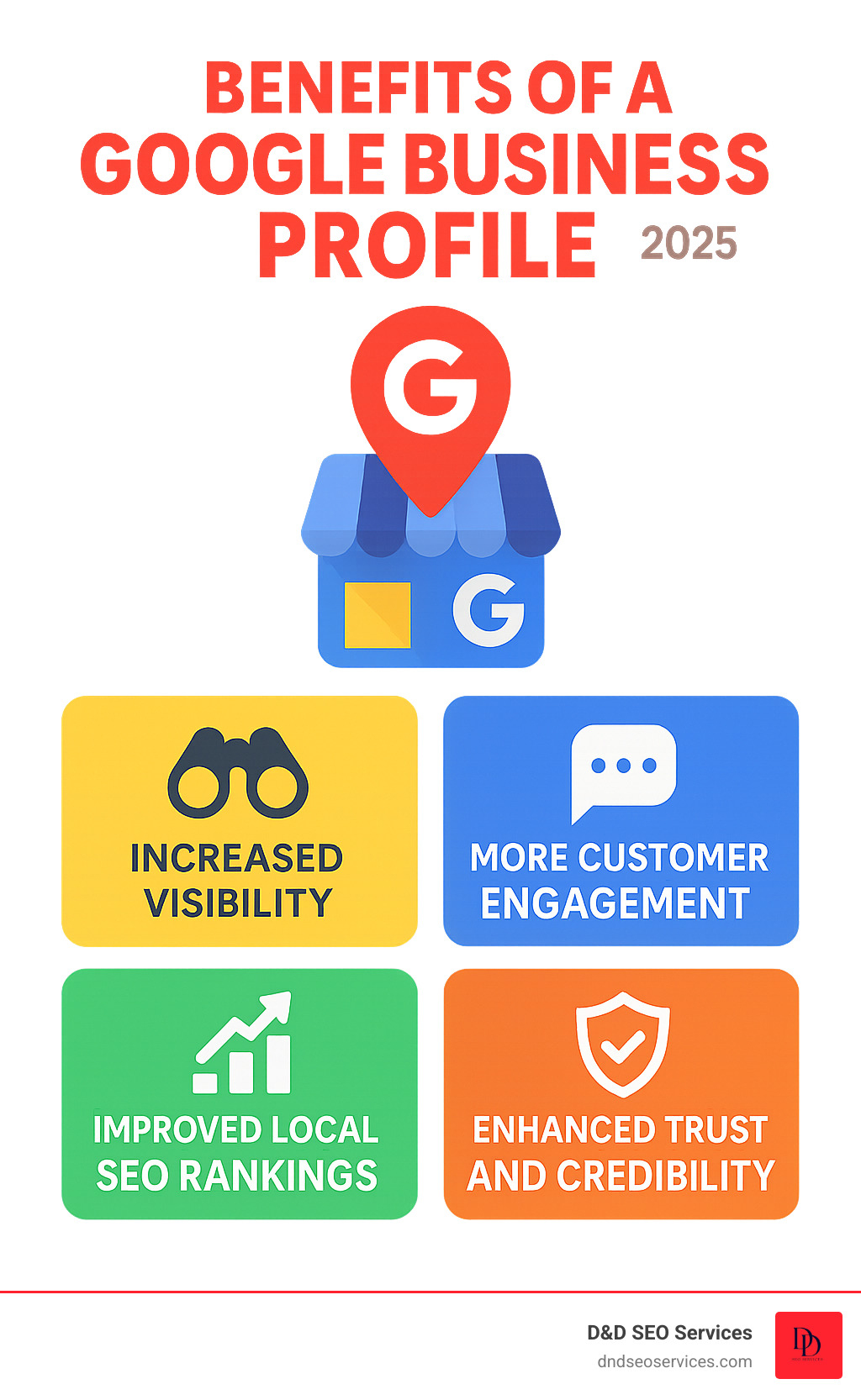
Core Benefits of an Optimized Google Business Profile
Increased Local Visibility
An optimized profile dramatically improves your chances of appearing in local search results and on Google Maps. This visibility translates directly into:
- More website visits
- Increased foot traffic to physical locations
- Higher call volumes
- More direction requests
Enhanced Customer Trust and Credibility
A complete profile with positive reviews, professional photos, and accurate information builds immediate trust. Customers are more likely to choose businesses with robust profiles over competitors with incomplete or poorly maintained listings.
Direct Customer Engagement
Your profile enables customers to:
- Call your business with one tap
- Send messages directly through the platform
- Request directions immediately
- Browse your products or services
- Read authentic customer experiences
Valuable Business Insights
Google provides detailed analytics showing:
- How customers find your profile (direct searches vs. discovery searches)
- What search terms people use
- Which customer actions are taken (calls, website clicks, direction requests)
- How your photos perform compared to competitors
- Peak engagement times and days
Cost-Effective Marketing
Unlike paid advertising, your Google Business Profile is completely free yet delivers measurable results. It’s available 24/7, working continuously to connect you with potential customers without ongoing costs.
Step-by-Step Setup Guide
Step 1: Create or Claim Your Profile
For New Profiles:
- Visit google.com/business
- Click “Manage now”
- Sign in with your business Google account
- Enter your exact business name as it appears legally
- Select your primary business category (choose the most specific option available)
- Indicate if you have a physical location customers can visit
For Existing Profiles:
- Search for your business on Google
- If a profile exists, click “Own this business?” or “Claim this business”
- Follow the prompts to request ownership
- Provide documentation proving you’re the legitimate owner
Important Considerations:
- Use your exact legal business name without keyword stuffing
- Choose only one primary category (you can add additional categories later)
- Avoid creating duplicate listings, which harm your SEO and confuse customers
Step 2: Choose Your Business Type
Storefront Business: Customers visit your physical location
- Your full address will be visible publicly
- Customers can get directions to your location
- Best for: Retail stores, restaurants, offices, salons
Service Area Business (SAB): You travel to customers
- Your address remains private
- You define geographic service areas (cities, zip codes, or radius)
- Best for: Plumbers, electricians, consultants, cleaning services, mobile businesses
Step 3: Add Essential Contact Information
Provide accurate, consistent information:
- Primary phone number: Use a local number that you answer consistently
- Website URL: Link to your official website homepage or a dedicated landing page
- Hours of operation: Include regular hours and any special holiday hours
- Service/product offerings: List specific services or products you provide
Step 4: Complete the Verification Process
Verification confirms you’re the legitimate business owner and unlocks full profile management capabilities.
Verification Methods:
Postcard Verification (most common)
- Google mails a postcard with a 5-digit code to your business address
- Typically arrives within 5-14 days (up to 20 days)
- Enter the code in your GBP dashboard when received
Phone Verification
- Receive an automated call with a verification code
- Available for select businesses
- Instant verification upon entering the code
Email Verification
- Receive a code at your business email address
- Available if Google has your email on file
- Quick and convenient when available
Video Verification
- Record a video showing your business location, signage, and proof of operation
- Available for select business types
- Reviewed by Google’s team within a few days
Instant Verification
- Available if your business is already verified in Google Search Console
- Immediate verification through your Search Console account
Critical Note: Your profile has extremely limited functionality until verified. Prioritize completing verification as soon as possible.
Step 5: Complete Your Business Profile
A complete profile ranks better and converts more visitors. Add these elements:
Business Description (up to 750 characters)
- Write a compelling summary of what makes your business unique
- Include primary services/products naturally
- Focus on customer benefits, not just features
- Avoid keyword stuffing or promotional language
Attributes
- Highlight special features: wheelchair accessible, women-owned, LGBTQ+ friendly, outdoor seating, etc.
- These help customers find businesses matching their preferences
Business Categories
- Add secondary categories beyond your primary category
- Be specific rather than generic
- Use only categories that accurately represent your offerings
Products and Services
- Create detailed listings with descriptions
- Include prices when possible
- Add photos for each service or product
Booking/Appointment Links (if applicable)
- Link to your online booking system
- Reduces friction for customers ready to commit
Advanced Optimization Strategies
Mastering Customer Reviews
Reviews are among the most influential factors for both search rankings and customer decision-making.
Encouraging Reviews:
- Ask satisfied customers directly after positive experiences
- Send follow-up emails with direct review links
- Train staff to request reviews naturally
- Display QR codes linking to your review page
- Make the process as simple as possible
Responding to Reviews:
For Positive Reviews:
- Respond to every review, even with a brief thank you
- Personalize responses by mentioning specific details
- Reinforce what you want to be known for
- Keep responses genuine, not templated
For Negative Reviews:
- Respond promptly (within 24-48 hours)
- Stay professional and empathetic
- Acknowledge the issue without making excuses
- Offer to resolve the problem offline
- Take the conversation to private channels when possible
- Never argue or become defensive
Example Response to Negative Review: “Thank you for bringing this to our attention, [Name]. We’re sorry your experience didn’t meet our usual standards. We’d like to make this right. Please contact us directly at [phone/email] so we can resolve this. We appreciate your feedback and the opportunity to improve.”
Review Best Practices:
- Never incentivize reviews with payment or discounts (violates Google’s policies)
- Don’t create fake reviews or ask friends/family to leave reviews
- Report and flag fake negative reviews through GBP
- Aim for consistent review acquisition rather than bursts
Leveraging Google Posts
Google Posts appear directly in your Business Profile and search results, acting as a free promotional tool.
Post Types:
Offer Posts
- Promote special deals, discounts, or limited-time offers
- Include coupon codes when relevant
- Set expiration dates to create urgency
Event Posts
- Announce upcoming events, workshops, or special occasions
- Include date, time, and registration links
- Perfect for grand openings, sales events, or community activities
Update Posts
- Share general news, announcements, or helpful content
- Highlight new products, services, or team members
- Keep customers informed about changes or updates
Product Posts
- Showcase specific products with photos and descriptions
- Include pricing to help customers make decisions
- Link directly to product pages on your website
Posting Best Practices:
- Post at least once weekly to maintain activity
- Use high-quality, eye-catching images or videos
- Keep copy concise (100-300 words ideal)
- Include clear calls-to-action (Learn More, Call Now, Book Appointment)
- Monitor engagement and adjust strategy based on performance
- Remember most posts expire after 7 days, so maintain consistency
Optimizing Photos and Videos
Visual content dramatically impacts customer engagement and conversion.
Essential Photo Categories:
Exterior Photos
- Show your storefront, building, and signage clearly
- Capture from multiple angles
- Include parking areas and accessibility features
- Update seasonally if relevant
Interior Photos
- Display your space, atmosphere, and amenities
- Show different areas or rooms
- Capture the customer experience
- Keep photos current and well-lit
Product/Service Photos
- Showcase your offerings professionally
- Include variety and detail shots
- Update regularly with new inventory
- Use consistent, high-quality photography
Team Photos
- Introduce your staff to build connection
- Show team members in action
- Create a friendly, approachable image
At Work Photos
- Demonstrate your expertise and process
- Show behind-the-scenes operations
- Build credibility through documentation
Photo Specifications:
- Format: JPG or PNG
- Size: Between 10KB and 5MB
- Resolution: Minimum 720px wide by 720px tall
- Quality: High resolution, well-lit, in focus
Video Best Practices:
- Keep videos short (30-60 seconds ideal)
- Use for virtual tours, service demonstrations, or customer testimonials
- Ensure good lighting and clear audio
- Add captions for accessibility
- Feature your business authentically
User-Generated Content:
- Encourage customers to add their own photos
- User photos build authenticity and social proof
- Monitor and report inappropriate images
Maximizing the Q&A Section
The Questions & Answers section is an underutilized feature that provides SEO value and addresses customer concerns.
Proactive Q&A Management:
- Anticipate common questions and post them yourself
- Answer thoroughly and include relevant keywords naturally
- Update answers as information changes
- Monitor regularly for new customer questions
Common Questions to Address:
- What are your hours?
- Do you offer [specific service]?
- What payment methods do you accept?
- Is parking available?
- Do you offer consultations/estimates?
- What areas do you serve?
Response Best Practices:
- Answer within 24 hours when possible
- Be thorough but concise
- Include relevant links when helpful
- Stay professional and helpful
- Correct any misinformation from other users
Tracking Performance and Analytics
Understanding Your Insights Dashboard
Access your performance data through your GBP dashboard to understand how customers interact with your profile.
Key Metrics to Monitor:
Search Queries
- See exact terms customers use to find you
- Identify trending search patterns
- Discover keyword opportunities for your website
- Understand customer intent and needs
How Customers Search
- Direct searches: People searching your business name or address
- Discovery searches: People searching categories, products, or services
- A healthy balance indicates both brand awareness and discoverability
Customer Actions
- Website clicks
- Phone calls
- Direction requests
- Message sends
- Photo views
- These actions represent high-intent prospects
Views and Impressions
- Total searches where your profile appeared
- How your visibility trends over time
- Compare performance month-over-month
Photo Insights
- Total photo views
- How your photos compare to similar businesses
- Which photo categories get the most engagement
Competitor Comparisons
- See how your performance compares to similar businesses in your area
- Identify areas where competitors outperform you
- Set benchmarks for improvement
Advanced Tracking with UTM Parameters
For deeper insights, add UTM parameters to your website URL in your GBP:
Example: www.yourbusiness.com?utm_source=google&utm_medium=organic&utm_campaign=gbp
This allows you to track GBP traffic specifically in Google Analytics, showing:
- Session duration and bounce rate
- Conversion paths
- Revenue attributed to GBP traffic
- User behavior on your website
Troubleshooting Common Issues
Profile Suspended or Disabled
Common Causes:
- Violating Google’s guidelines
- Using a virtual office or PO Box for a storefront business
- Keyword stuffing in business name
- Operating from a residential address without proper business setup
- Creating multiple listings for the same location
Resolution Steps:
- Review Google’s Business Profile guidelines thoroughly
- Identify and correct the specific violation
- Submit a reinstatement request through your GBP dashboard
- Provide documentation proving legitimacy (business license, utility bills, etc.)
- Be patient—reviews can take several weeks
Not Appearing in Search Results or Maps
Potential Causes and Fixes:
Profile Not Verified
- Complete verification immediately
- Unverified profiles have minimal visibility
Incomplete Profile
- Fill out every section completely
- Add photos, hours, services, and description
- Completeness is a ranking factor
Lack of Activity
- Post regularly
- Respond to reviews
- Update information when things change
- Google rewards active profiles
Poor Review Profile
- Few or no reviews hurt visibility
- Negative reviews without responses signal poor service
- Actively solicit reviews from satisfied customers
Inconsistent NAP (Name, Address, Phone)
- Ensure your business information matches across all online directories
- Inconsistencies confuse Google’s algorithm
New Profile
- Recently created profiles take time to rank
- Continue optimization and be patient
Serving Outside Your Primary Location
- For SABs, ensure service areas are properly defined
- You’ll only appear for searches in your designated areas
Incorrect or Changing Information
Google or Users Suggesting Edits:
- Google’s algorithm may automatically update your info based on user reports
- Monitor your profile weekly for unauthorized changes
- Reject incorrect suggestions immediately
- If information keeps changing, it may indicate inconsistent citations across the web
Prevention:
- Maintain consistent business information across all directories
- Regularly check your profile for changes
- Enable notifications for suggested edits
Ownership Conflicts
Someone Else Claimed Your Listing:
- Click “Own this business?” on your profile
- Follow Google’s ownership verification process
- Provide documentation proving you’re the rightful owner
- If necessary, fill out a “Business Profile Support” form
- Be prepared for a potentially lengthy resolution process
Duplicate Listings:
- Report duplicates through your GBP dashboard
- Provide evidence that both listings represent the same business
- Google will merge or remove duplicates after review
Reviews Removed or Not Showing
Legitimate Reviews Disappearing:
- Google’s algorithm sometimes removes legitimate reviews it suspects are fake
- Reviews must follow Google’s content policy
- Unfortunately, there’s limited recourse for legitimately removed reviews
Fake Reviews:
- Report reviews that violate Google’s policy
- Google removes reviews that are clearly spam or fake
- Never retaliate by posting fake reviews of competitors

Frequently Asked Questions
Is Google Business Profile really free?
Yes, absolutely. Creating, claiming, and managing your Google Business Profile is completely free. You can add unlimited photos, respond to reviews, create posts, track analytics, and access all features without any cost. Google provides this service because accurate business information improves search results for users. This makes GBP one of the most valuable free marketing tools available, especially for small businesses with limited budgets.
How long does verification take?
Verification timing depends on the method:
- Postcard: 5-14 days (occasionally up to 20 days)
- Phone: Immediate (once you receive and enter the code)
- Email: Immediate (once you receive and enter the code)
- Video: 3-5 business days for review
- Instant: Immediate (if eligible through Search Console)
If your postcard hasn’t arrived after 14 days, you can request a new one through your dashboard.
Can I have a Google Business Profile without a physical address?
Yes. Service-area businesses (SABs) that travel to customers—like plumbers, consultants, mobile pet groomers, or home cleaning services—can create profiles without displaying a public address. You’ll define the geographic areas you serve (specific cities, zip codes, or a radius from your location), and your profile will appear for searches within those areas. Your actual business address remains private. This is ideal for home-based businesses that serve customers at their locations.
How do I add team members to manage my profile?
Instead of sharing your login credentials, add team members through your GBP dashboard:
- Go to your Business Profile Manager
- Select your business
- Click “Users” in the menu
- Click “Add users”
- Enter their email address
- Assign a role:
- Owner: Full control including user management and deletion
- Manager: Can edit info and respond to reviews but can’t manage users
- Site manager: Limited editing capabilities
This maintains security while allowing your team to keep the profile active and updated.
What’s the difference between categories, and how many should I add?
Categories tell Google what your business does and determine which searches you appear in.
Primary Category: Your main business type—the most specific category that describes your core offering. This has the biggest impact on your ranking.
Additional Categories: Up to 9 secondary categories representing other services or aspects of your business.
Best Practices:
- Be as specific as possible (choose “Italian Restaurant” over “Restaurant”)
- Only add categories that truly represent your business
- More categories aren’t better—only add relevant ones
- Review Google’s category list for accurate options
- Categories directly affect which searches you appear in, so choose carefully
How often should I post on my Google Business Profile?
Aim for at least one post per week to maintain activity and engagement. Consistent posting signals to Google that your business is active, which can improve your visibility. Most posts expire after 7 days (except events, which expire after the event date), so regular posting keeps fresh content on your profile.
Ideal Posting Strategy:
- Weekly: Minimum to maintain presence
- 2-3 times per week: Good for competitive industries
- Daily: Beneficial for businesses with frequent updates (restaurants with daily specials, event venues, etc.)
Quality matters more than quantity—focus on valuable, engaging content rather than posting for the sake of posting.
Do reviews really impact my local search ranking?
Yes, significantly. Reviews influence your local search ranking in multiple ways:
Quantity: More reviews signal popularity and trustworthiness Recency: Recent reviews indicate an active, current business Rating: Higher average ratings improve prominence Review velocity: Consistent review acquisition over time shows sustained quality Response rate: Businesses that respond to reviews show engagement Keywords in reviews: Reviews containing relevant keywords can help relevance signals
Beyond rankings, reviews directly impact customer decisions—88% of consumers trust online reviews as much as personal recommendations. A business with many recent, positive reviews will convert far better than one with few or negative reviews, regardless of ranking.
Can I delete negative reviews?
You cannot delete reviews yourself, but you can:
Report reviews that violate Google’s policies, such as:
- Spam or fake reviews
- Off-topic content
- Restricted content (illegal, sexually explicit, etc.)
- Conflicts of interest (reviews from competitors)
- Reviews containing personal information
For legitimate negative reviews:
- You cannot remove them
- Your best strategy is to respond professionally
- A thoughtful response to a negative review can build more trust than having only positive reviews
- Focus on acquiring more positive reviews to dilute the impact of negative ones
Important: Never pay for fake positive reviews or create fake negative reviews of competitors. Both violate Google’s policies and can result in profile suspension.
What if my business has multiple locations?
For multi-location businesses:
Create separate profiles for each location
- Each location needs its own unique profile
- Use location-specific information (address, phone, hours)
- Customize descriptions for each location when relevant
Use bulk management tools
- Google offers bulk upload and management through the Business Profile Manager
- Manage multiple locations from a single dashboard
- Update information across locations efficiently
Maintain consistency
- Use consistent branding across all locations
- Keep business name format consistent
- Use the same primary category when appropriate
Location-specific optimization
- Encourage reviews at each location separately
- Post location-specific content and events
- Track performance for each location individually
How do I rank in the Google 3-Pack?
Ranking in the Google 3-Pack (Local Pack) requires a comprehensive local SEO strategy:
Optimize Your GBP Completely
- Fill out every section
- Choose accurate categories
- Post regularly
- Maintain high-quality photos
Build Strong Review Signals
- Acquire consistent reviews
- Maintain a high average rating
- Respond to all reviews promptly
Ensure NAP Consistency
- Your Name, Address, and Phone must be identical across all online directories
- Inconsistencies confuse Google and hurt rankings
Build Local Citations
- Get listed in relevant local directories
- Industry-specific directories carry additional weight
- Keep information consistent across all listings
Optimize Your Website for Local SEO
- Include location-specific content
- Create location pages for each area served
- Embed Google Maps on your contact page
- Use local schema markup
Earn Quality Backlinks
- Local backlinks from relevant, authoritative sites
- Sponsorships, partnerships, local news coverage
Maintain Engagement
- Customer actions (calls, website clicks, direction requests) signal relevance
- High engagement improves rankings
The 3-Pack is highly competitive, and rankings fluctuate based on searcher location and query. Consistent optimization and a comprehensive local SEO strategy are essential.
Can I use my home address for my business?
It depends on your business type and local regulations:
For Service-Area Businesses (SABs):
- Yes, you can use your home address as your business location
- Your address will remain hidden from the public
- You’ll serve customers at their locations, not yours
For Storefront Businesses:
- Only if you actually meet customers at your home
- Your home must be set up to receive customers professionally
- Local zoning laws must allow home-based businesses
- Your address will be publicly visible
Google’s Requirements:
- Must have in-person contact with customers during stated hours
- Cannot be a virtual office or PO Box
- Must be able to verify the location
- Must comply with local business regulations
If you’re unsure, consult local zoning regulations and consider whether your business model truly requires a public-facing address.
What happens if I change my business location or close temporarily?
Changing Location:
- Update your address in your GBP dashboard
- You may need to re-verify your profile
- Your ranking may temporarily drop as Google re-indexes your new location
- Update your address across all online directories for consistency
Temporary Closure:
- Mark your business as “Temporarily closed” in your dashboard
- Your profile remains visible but shows the closure status
- Consider adding hours when you’ll reopen
- Post updates about your closure and reopening
- Remove the temporary closure status when you reopen
Permanent Closure:
- Mark your business as “Permanently closed”
- Your profile will remain visible but clearly marked as closed
- You cannot undo this status
- Consider leaving the profile up for a period so customers can see what happened
Important: Never delete your GBP if you’re moving or temporarily closing, as you’ll lose all reviews, photos, and ranking history.
How do I handle duplicate listings?
Duplicate listings hurt your SEO and confuse customers. Here’s how to handle them:
If you control both listings:
- Log into the duplicate profile
- Go to Settings
- Select “Close or remove this profile”
- Choose “Remove this profile”
- Google will review and typically approve removal
If you don’t control the duplicate:
- Claim the duplicate listing
- Verify ownership
- Then remove it using the steps above
If someone else controls it:
- Report the duplicate through your verified listing
- Provide evidence both represent the same business
- Google will review and merge or remove after verification
Prevention:
- Only create one profile per location
- Don’t create new profiles when moving; update your existing one
- Ensure employees aren’t creating duplicate listings
Does my Google Business Profile affect my regular (organic) search ranking?
While your GBP primarily affects local search and Maps visibility, it does have some indirect influence on organic rankings:
Indirect SEO Benefits:
- Reviews contain user-generated keywords relevant to your business
- Your GBP link provides a high-authority backlink to your website
- Increased brand searches from GBP visibility can signal authority
- Consistent NAP information supports overall SEO
- Traffic from GBP can reduce bounce rate and increase engagement metrics
However, GBP is separate from traditional organic search rankings. A strong GBP won’t directly boost your organic rankings, but the signals it sends (authority, relevance, engagement) contribute to your overall online presence. Think of GBP and organic SEO as complementary strategies that support each other.
What should I do if my competitors have fake reviews?
Fake reviews are a violation of Google’s policies, but unfortunately they’re common. Here’s what to do:
Report Suspected Fake Reviews:
- Click the three dots next to the suspicious review
- Select “Report review”
- Choose the appropriate violation
- Provide details if requested
What Google Considers Fake:
- Reviews from the business owner or staff
- Reviews incentivized with payment or discounts
- Reviews from competitors
- Bulk reviews posted simultaneously
- Reviews with identical or very similar text
- Reviews from accounts with suspicious patterns
What You Should Do:
- Report clear violations
- Focus on earning legitimate reviews consistently
- Don’t retaliate with fake reviews yourself
- Don’t engage in review exchanges with other businesses
- Build a strong authentic review profile that outweighs fake competitor reviews
Reality Check:
- Google’s detection isn’t perfect
- Some fake reviews remain despite reports
- Your best defense is a strong, authentic review profile
- Competing on quality and legitimacy wins long-term
Final Thoughts
Your Google Business Profile is far more than a simple online listing—it’s your most powerful tool for local visibility and customer connection. From your initial setup to ongoing optimization, every element of your profile contributes to how easily customers can find you and how likely they are to choose your business.
The businesses that succeed with GBP treat it as a living, breathing part of their marketing strategy. They consistently post updates, engage with reviews, refresh photos, and monitor their performance metrics. This ongoing attention transforms a basic listing into a customer magnet that works around the clock.
At D&D SEO Services, we’ve seen firsthand how a well-optimized Google Business Profile can transform a local business’s growth trajectory. Whether you’re just getting started or looking to improve an existing profile, the strategies in this guide will help you maximize your local presence and connect with more customers.
Ready to dominate your local market? Start by implementing these strategies today, or let our team of local SEO experts optimize your Google Business Profile for maximum impact.
This guide is regularly updated to reflect the latest Google Business Profile features and best practices. Last updated: October 2025
The Strategist Behind D&D SEO Services
I’m Danielle Birriel, founder of D&D SEO Services. For over 12 years, I’ve been helping local service businesses—from plumbers and HVAC companies to medspas, dentists, and in-home care providers—outrank competitors, attract more qualified leads, and turn online searches into paying customers.
I’m not here to sell you “SEO in a box.” I’m here to solve real problems local business owners face every day:
- You’re buried on Google while competitors dominate the top spots.
- Your phone isn’t ringing enough despite having great services.
- Your Google Business Profile isn’t optimized and isn’t bringing in leads.
- You’ve been burned by agencies promising results but delivering cookie-cutter strategies.
- You don’t know if your marketing is actually working because you’re not getting transparent reporting.
I built D&D SEO Services to change that.